Version: v1.23 NWN2/MotB/SoZ only (older patches will not work)
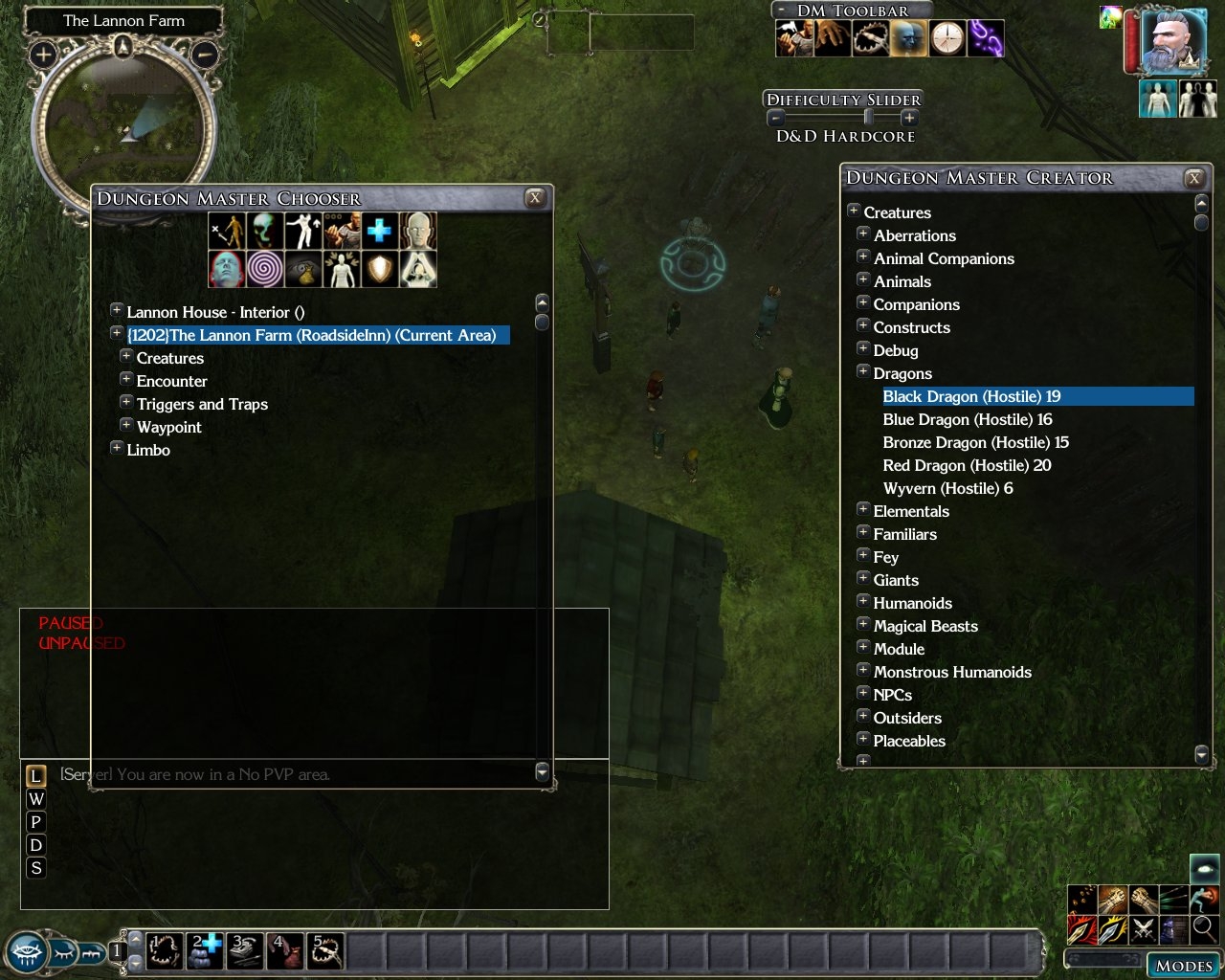
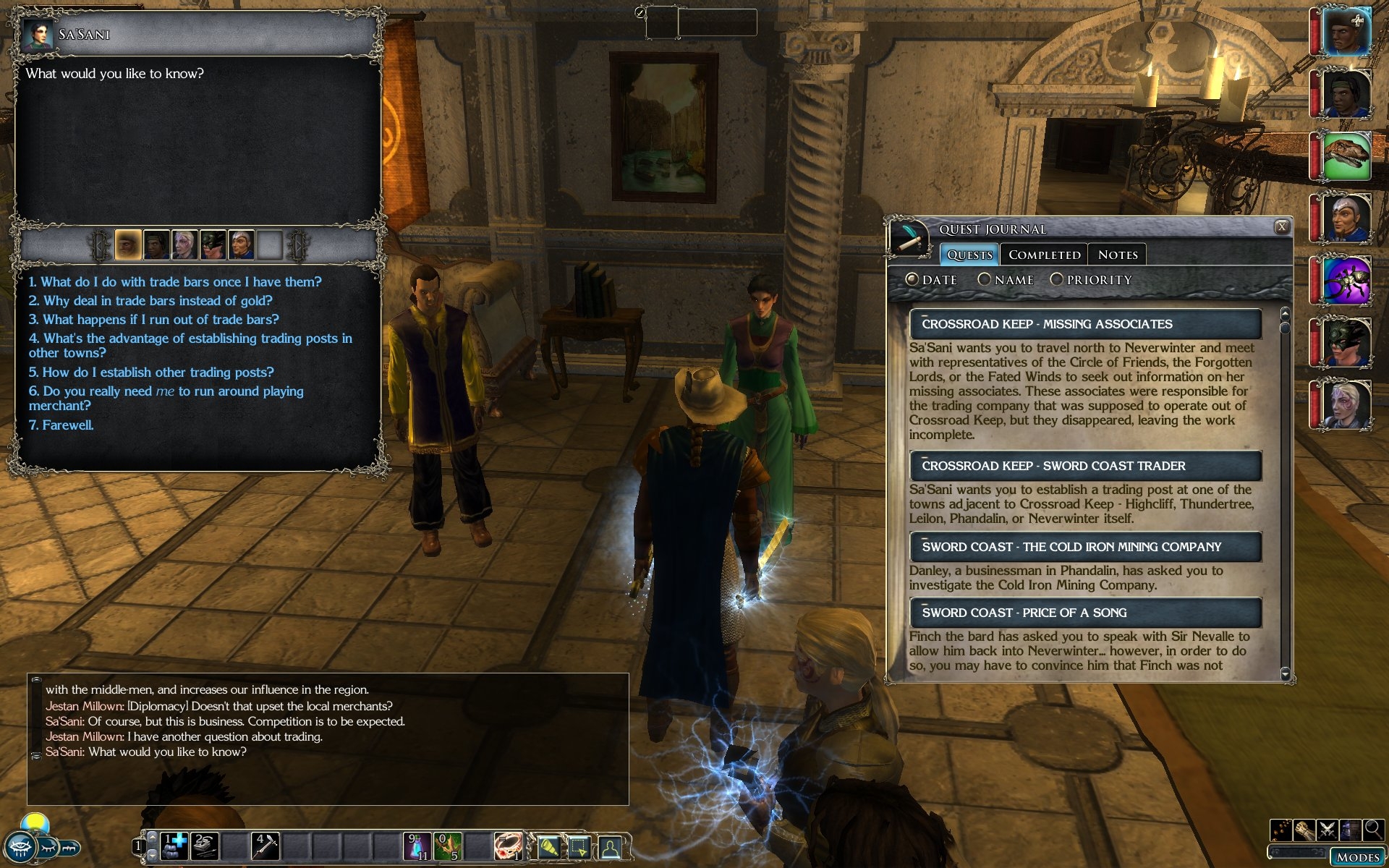
This mod aims to provide a better NWN2 UI experience at higher resolutions. By default, the NWN2 UI does not scale and becomes increasingly difficult for some players to read at resolutions of 1280x1024 and above.
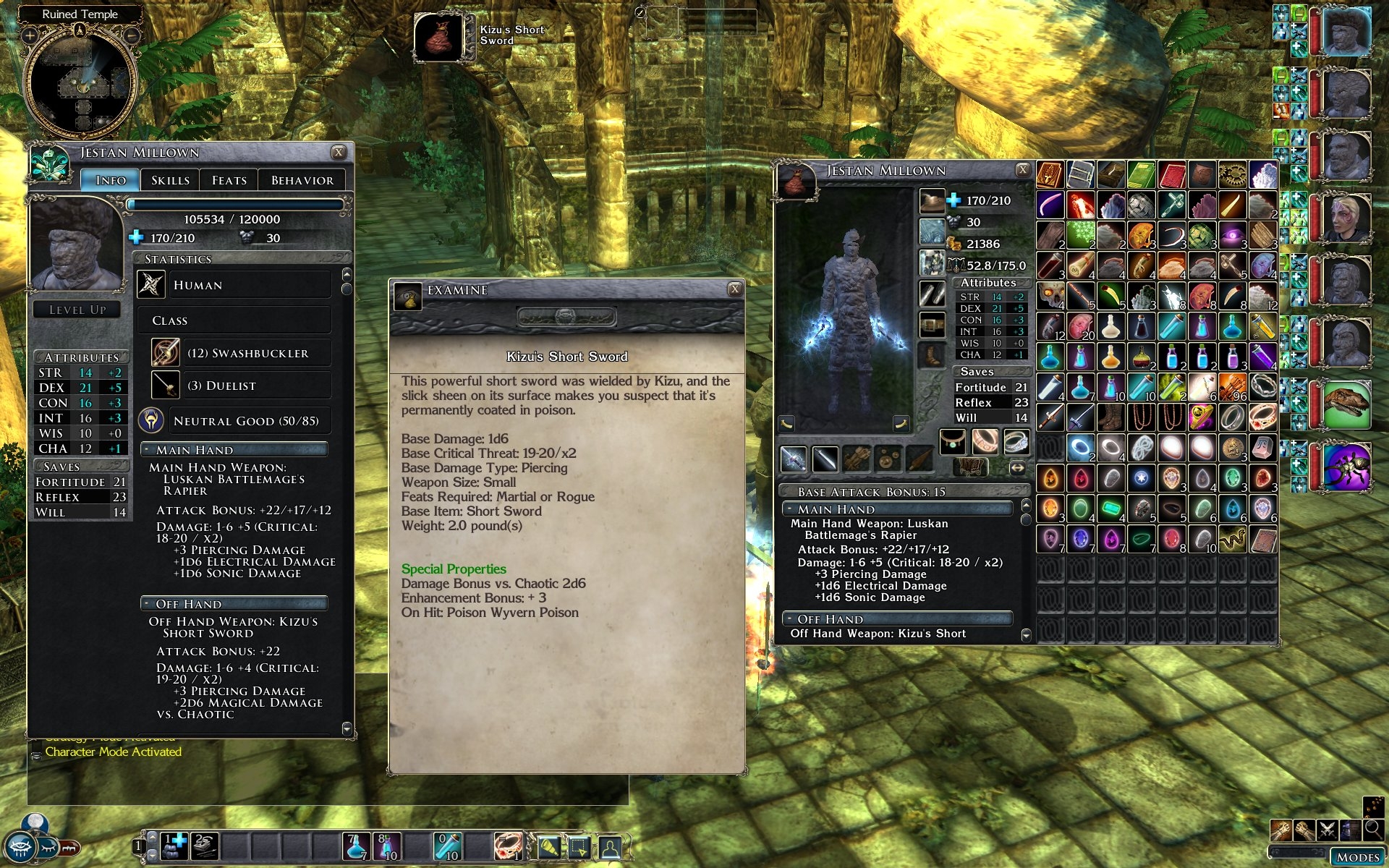
The mod increases the size of fonts in the game. Many NWN2 UI panels are made larger to accommodate the larger fonts.
A zip file and a windows installer are available. The installer places the files in the Neverwinter Nights 2\ui\custom\FI_Big_Fonts_UI folder in your My Documents.
Many thanks to WhatIsSol for all his hard work on this mod.
Please drop a comment below if you find any clipping problems etc. which you'd like fixed.
Installation instructions:
See the readme file. Mod now offers a choice of inventory screens with or without the SoZ cargo button.
TonyK's AI patch:
This fixes a few UI glitches that occur when you use TonyK's Companion and Monster AI and the Big Fonts UI.
Only use if the current UI patch is the same version as TonyK's AI. If TonyK's UI is a newer version, don't use an older version of the patch. There will just be some small UI glitches until I make a new patch.
Change log:
1.23 (29/08/09)
Updated to patch v1.23.
Included GrinningFool's handy store no-reset patch
1.22 (28/02/09)
Updated to patch v1.22.
Merged in the SoZ beta changes.
Party bar changed to support 10 portraits.
Removed annoying 'Game Paused' notification from SoZ.
Posted by snarpel at 2012-05-10 15:30:11 Voted 10.00 on 05/10/12
This mod is a real eyesaver. Thanks
Posted by bradleypariah at 2011-03-13 19:29:24 Voted 10.00 on 03/13/11
I may be playing this game for the first time YEARS after everyone else, but that doesn't change the fact that this mod is saving my eyesight. I'm playing this game on a 50" plasma @ 1080p. I was getting headaches, always squinting and getting cranky.... you saved this game for me. Everything is so easy to read from across the room now! Thank you so much for your generous contribution! :-)
Posted by tycho100 at 2010-12-29 15:11:02 Voted 10.00 on 12/29/10
Great Mod - must have for large monitors. I've been using this since 2007, so should have shown the appreciation it deserves ages ago! Thanks for making it!
CrispyWalrus - I never got round to fixing the Player List since it was tricky to test (had to be on a MP server). You're the first person to have mentioned that - I thought I had got away with it :) I'd appreciate a vote anyway, and maybe I'll look at the Player List again if wander back to NWN2 land (not got it installed right now - shocker!).
Very nice mod. Playing from a couch at 1600x900 12' plus back from the screen, it was just what I needed to be able to make out the game text!
It does clip the player name from the Player List though-- I can only see character names and not the player name of each character.
Likewise a PW I play on also uses Kemo Scry and it has similar but opposite clipping problem-- I can see only the player name in the Kemo Scry list. Character names are not visible.
Posted by Chellz at 2010-08-23 15:59:36 Voted 10.00 on 08/23/10
Must have!!!!!
Posted by Brutus_Brainless at 2010-08-22 14:16:09 Voted 10.00 on 08/22/10
this is a must have with todays monitors,
thx
Posted by MindYerBeak at 2010-07-18 10:26:26 Voted 10.00 on 07/18/10
A Must Have Mod. 10 out of 10 sounds fair.
Posted by speakn2rodusher at 2010-06-26 21:50:14 Voted 9.75 on 06/26/10
Thanks for the font upgrade, I consider this a must have with any install!
Posted by Thrasher91604 at 2010-03-16 13:20:13 Voted 9.75 on 02/09/10
No dice. Can/t get the inventory mod to work. Probably not related to this mod. I'll check over there.
Posted by Thrasher91604 at 2010-03-05 10:52:20 Voted 9.75 on 02/09/10
Hmm, it's a good question but I'm not sure. As I say, unzipping the inventory mod over my thing is the best idea. The other thing you could do is delete inventoryscreen.xml from my UI. The inventory is not really affected much by the big fonts so you should be able to use whatever one you like. Play around a bit :)
Posted by Thrasher91604 at 2010-03-01 17:02:25 Voted 9.75 on 02/09/10
Thanks! OK, If I put it in it's own separate directory (as I have for all override mods) which one gets taken? Is it alphabetical (e.g. stuff in directory "a" overrides stuff in directory "b" or vice versa or is it unpredictable?).
Hey man, I've been in Japan, but here I am, up for almost 24 hrs straight but still trying to answer your question! I'd try unzipping the inventory mod over the files in the Big_Font_UI directory that contains the files from my UI mod. Make sure my inventoryscreen.xml is overwritten by his. That will probably work, if not, I'll try it out myself (but not right now!).
Posted by Thrasher91604 at 2010-02-22 09:34:57 Voted 9.75 on 02/09/10
Oh well...
Posted by Thrasher91604 at 2010-02-16 13:05:27 Voted 9.75 on 02/09/10
So is the answer "no"? Let me know, so I can move on...
Posted by Thrasher91604 at 2010-02-09 16:04:31 Voted 9.75 on 02/09/10
Excellant mod! I'm using it with Tony K's AI mod, and it works almost flawlessly. A couple of the tabs are missing names in the behavior tab, but it is otherwise perfect!
Thank you!
Posted by dbankier at 2010-02-06 12:38:15 Voted 10.00 on 02/06/10
Essential for playing NWN2 on any reasonably sized monitor, I wouldn't go without it.
Posted by t_G_M_ at 2010-01-20 13:51:42 Voted 9.00 on 01/08/10
It seems, it's related to "stylesheet.xml". When I delete this file from your mod's folder, quickcast works normally. And, naturally, your mod is not working normally at all :).
Hi. Thanks for your post and vote. The missing text is a common problem due to buttons in xUI being too small. I've not heard about the quickcast problem before. My UI doesn't affect that UI item, so it must be a weird xUI problem. You could try deleting quickspell.xml from the xUI distribution.
Posted by t_G_M_ at 2010-01-08 15:26:29 Voted 9.00 on 01/08/10
I have two problems with compatibility between your mod and XiDragon's xUI. When both mods installed:
1. Enabling quickcast menu crashes the game.
2. Some text in xUI options is missing.
While second problem, most likely, is all about xUI, I'm posting it here, since xUI not being developed anymore.
Updated the archives to v1.23 now that I can play NWN2 again (post-hotfix). v1.23 exposed a lot more of the TonyK AI settings, so we've now got those in the base game. I've included Grinning Fool's Store Scroll Reset patch since it's very handy and I can't see how anyone could not want it :)
Probably no need for the TonyK's AI patch now, I'd just play with the base version and we'll see what TonyK does in future.
Some random info on the bag: The image of the bag doesn't actually do anything when clicked. It's one of the original icons that allow you to switch between the smaller inventory screens in the original inventory UI. Surprisingly, if you remove it (as I did previously), the inventory UI doesn't work properly. It's actually also in the soz inventory screen but hidden beneath the cargo button.
Posted by Lanthos at 2009-08-13 08:42:51 Voted 9.75 on 08/13/09
Thanks fire&Ice great work! Now I can see from my couch now. I have a 40" Sony Bravia and was straining my eyes to see everything. Much better. Love the equipment menu no more tiny little bags to look through. Don�t know what the image of the bag next to the sort is. I haven�t run into any problems yet. _________________________ No trees were harmed in the sending of this message, but several 0�s and 1's were severely inconvenienced�
Hi guys. No v1.23 patch for now since the patch causes NWN2 to crash on startup for me :) Still, from the look of the changes, the v1.22 Big Font UI should work fine for now.
10 - A Masterpiece, Genuinely Groundbreaking 9 - Outstanding, a Must Have 8 - Excellent, Recommended to Anyone 7 - Very Good, Deserves a Look 6 - Good, Qualified Recommendation 5 - Fair, Solid yet Unremarkable 4 - Some Merit, Requires Improvements 3 - Poor Execution, Potential Unrealized 2 - Very Little Appeal 1 - Not Recommended to Anyone






 Site
Site









 at 2012-05-10 15:30:11
 at 2010-11-15 15:46:41


