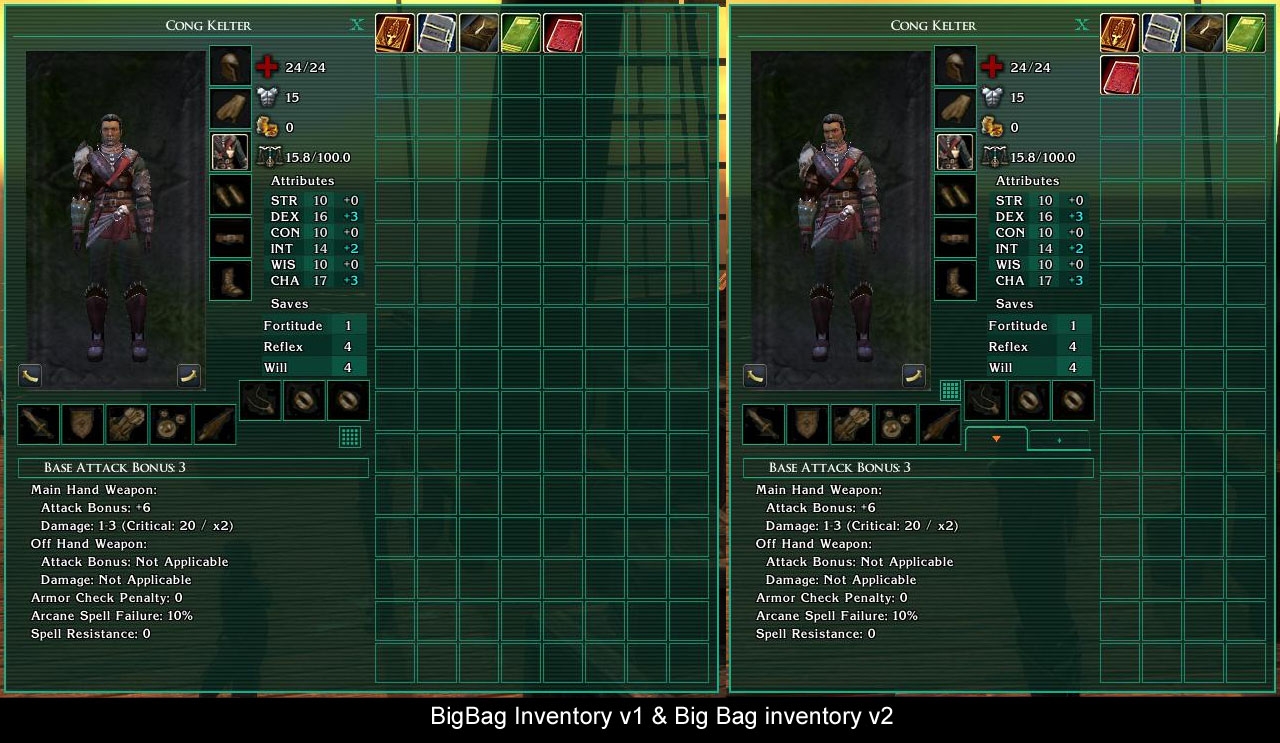
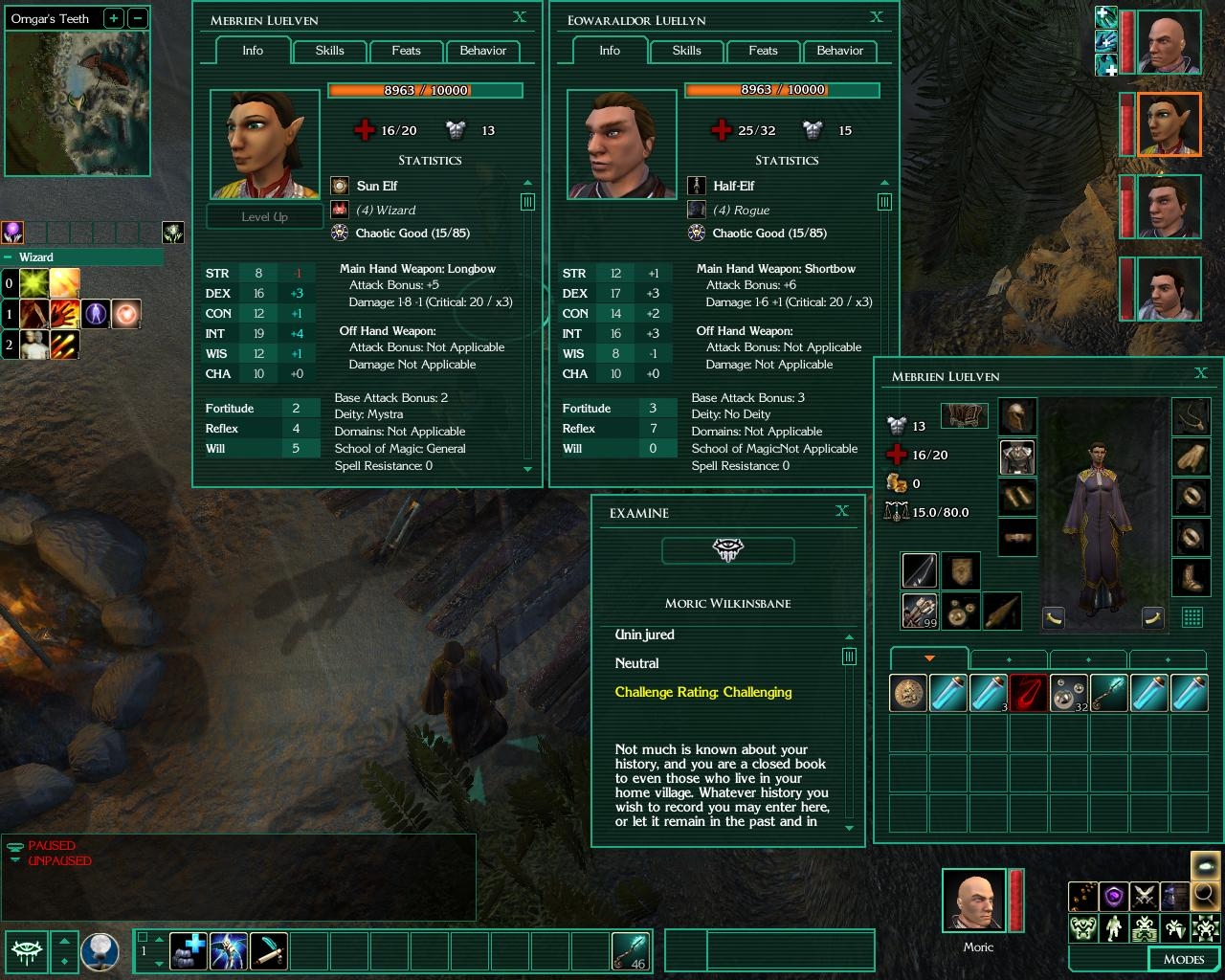
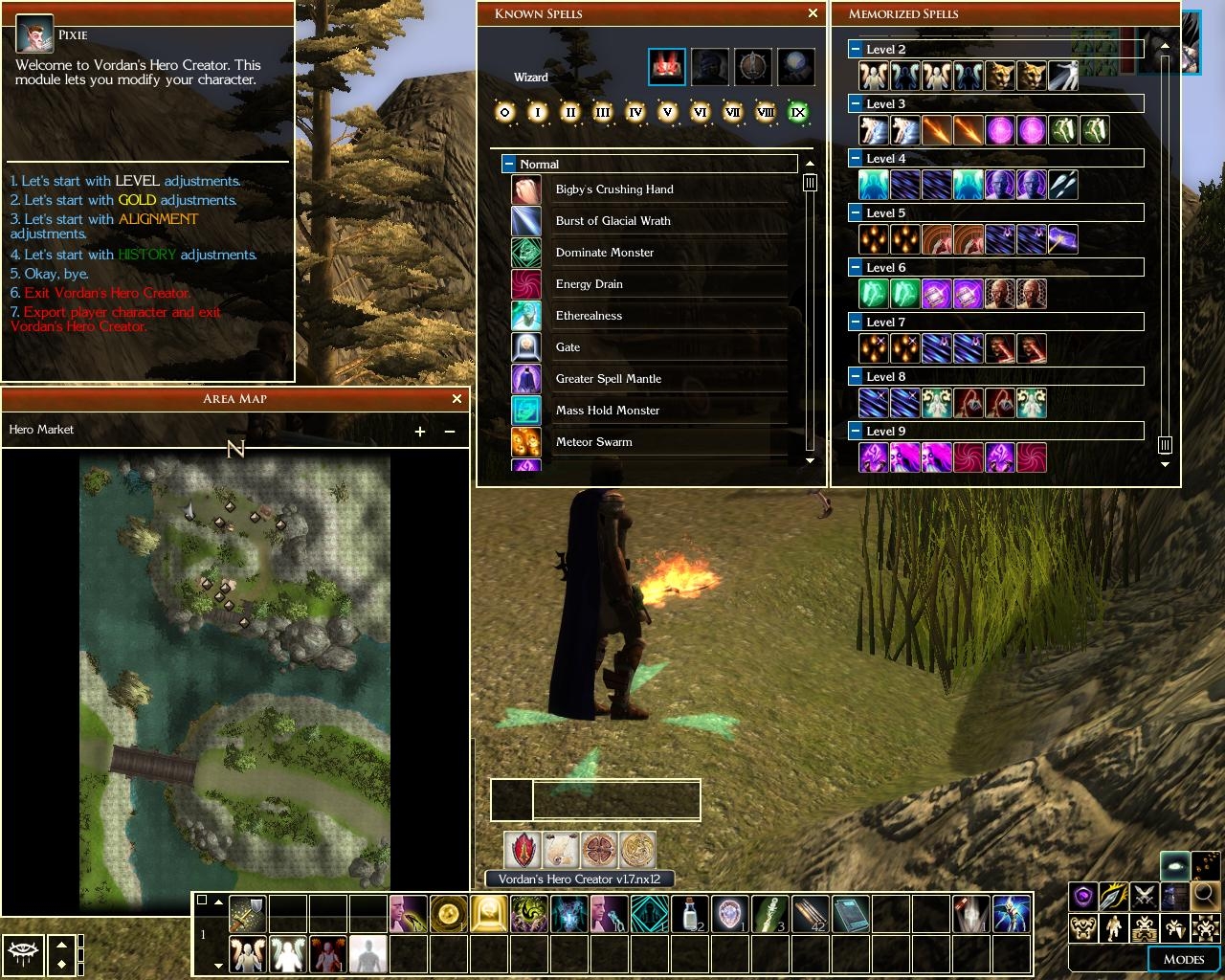
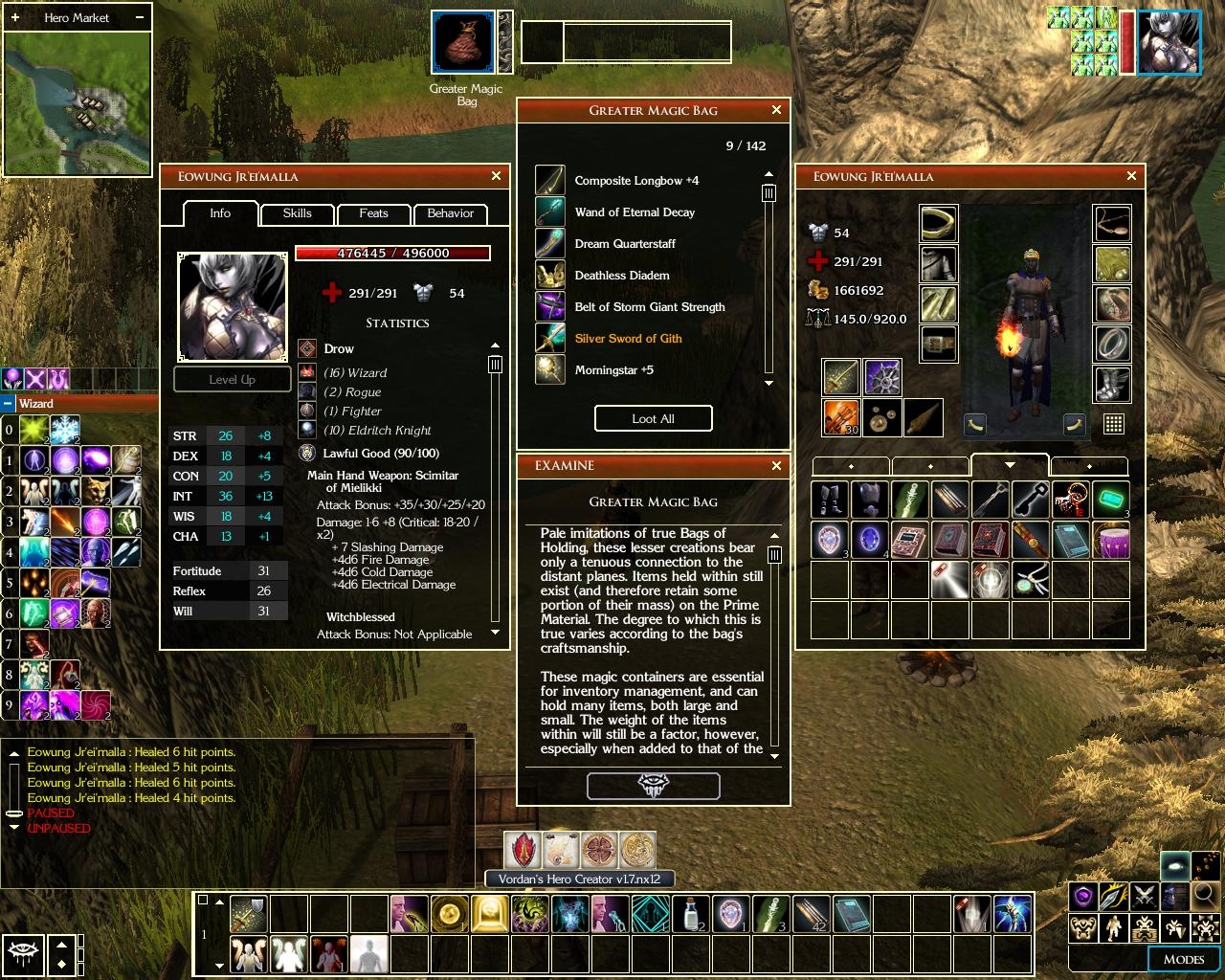
It all started out as a desire to compile all the various gui tweaks i was using into one (xUI, Slate's Tiny Spell book, Cyricc Compact Character Stats, Gaoneng Player's Handbook etc). I play in 1024 res and the default layout just takes too much space. I really loved the Baldur's Gate UI by Trevor Morris, but it took up even more space. Then I thought of modifying a few things myself...
These are the changes to the default GUI (I tried to make the panels of uniform size and look - thin borders, transparent black background, smaller buttons, smaller scrollbars etc):
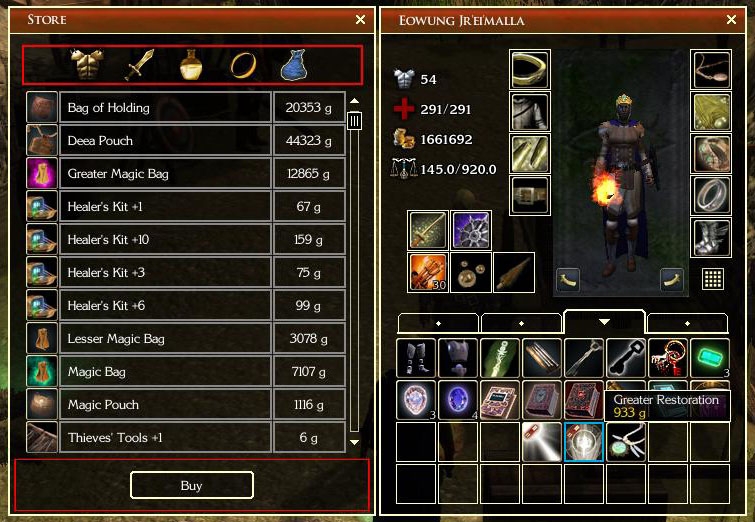
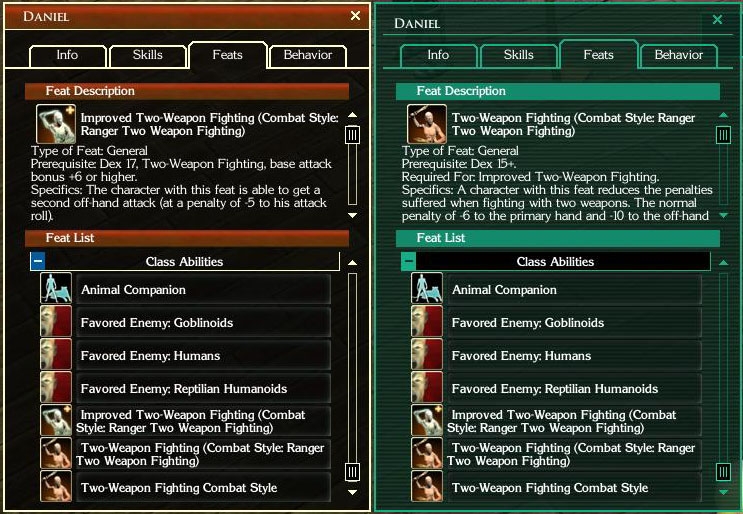
- Character Screen reduced in size to be the same as inventory screen. Changed background, smaller fonts with no outline (much clearer with the black background)...
- Changed the look of the Inventory
- Resized Known Spells and Memorized Spells to be the same size as the Inventory, changed look, replaced spell level icons with the ones from NWN1
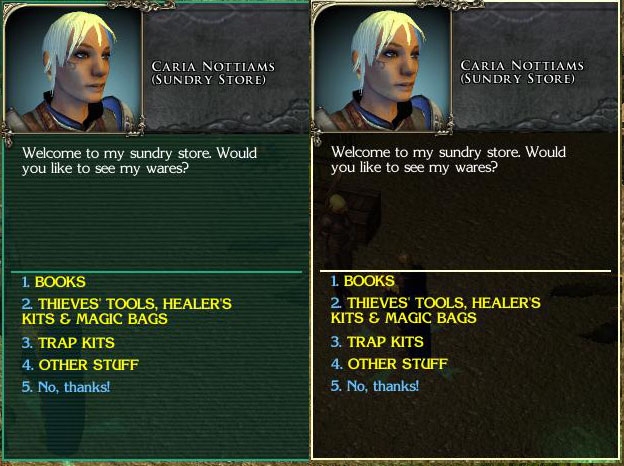
- Resized Store, Barter Screens, changed look...
- Changed Quick Cast drop-down menu and Metadata Grid and look
- Mini Map changed a lot (square minimap) and Area Map changed just a little bit (not much that can be done there)
- Smaller Party Bar
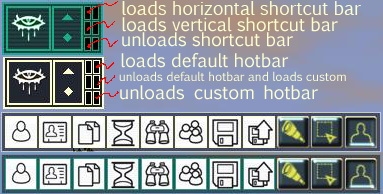
- Added Command bar options in the Mode Bar with the NWN1 Icons
- Changed the look of Hotbar, Action Queue, Target Enemy, Target Friend, Player Menu, Voice Menu, Journal
- changed the loading bar in Load Area and Load Module Screens
(15.08.2007)
****************************************
THANKS:
My sincere thanks goes out to XiDragon for allowing me to use and modify his code to create and give functionality to SlimGUI options screen. XiDragon's (xUI) has been an inspiration to me to make my own UI improvements.
This changes the size of the portrait in the chat window (take a look at the screenshot). To install extract to the override folder. Delete quickchat.xml from "ui\custom\slimgui folder". Can be used for both themes. NOTE: I will not be adding this to the installer, so it will remain a separate download.
Non Installer version of SlimGUI. With changes from v2.76 installation got a bit more complicated, but detailed instruction are inside. If you have any problem please contact me.
The package contains SlimGUI for the following versions of NWN2 (Both Gold and Green Themes) NWN2 v1.23 (OC, MotB)
NWN2 v1.23 (OC, MotB) with Compmonai v2.2
Storm of Zehir v1.23
Storm of Zehir v1.23 with Compmonai v2.2
Also included are extras:
Small Inventory
Big Bag Inventory v1
Big Bag Inventory v2
Warlock Buddy
Small Party Bar
From v2.76 Custom Hotbars with or without Options Screen are separated into various packages. Custom Hotbars install ALL of hotbars and an Options Screen to change them at will. Also are included separate hotbars witch replace hotbar.xml installed with basic SlimGUI. Only one of these can be selected during install and they can be installed along side custom Hotbars package. To manipulate various hotbars easily extra buttons have been added to the Playermenu. Please see the appropriate screenshot for more info.
*NOTE* If you use (Tony_K's Compmonai) or (Warlock Buddy) updated by Ladydesire don't forget to delete the original .xml files provided by the authors. For Compmonai those are characterscreen.xml, contextmenu.xml, creatureexamine.xml, and for Warlock Buddy quickspell.xml and warlock.xml. These files are usually located in the override folder.
If you are using compmonai.XX in hak form, open it with (NWN2Packer) and remove/delete characterscreen.xml,contextmenu.xml and creatureexamine.xml and copy/save the same .xml's from the right SlimGUI package.
and 30 minutes of typing go out of window because i forgot that opening tags exist in html as well. ok i'll do this again: line 346 UIListBox name="FEATDESC_LISTBOX" x=28 y=102 width=329 height=122. increase 'height' value by a certain amount. line 358 UIText strref="181237" x=43 y=225. increase 'y' by the same amount line 359 UIListbox name="FEAT_LIST" x=22 y=250 width=335 height=251. increase 'y', lower 'height' by the same amount. 2. open playermenu.xml go to line 85 UIButton name="MENU_TOGGLE_BUTTON" x=3 y=0 width=47 height=47. here you define the position,size and function of the button. if you change anything bear in mind how it will look in relation to the other gui elements. if you don't want a gui element to show make it a comment by adding opening and closing tags before and after its UIBUtton tags as defined for xml (!--comment--). you can see it at the top of the xml you just opened. 3. the installer is meant to install only one version of SlimGUI. both themes contain files with the same names (.tga for images and .xml)and those are set to overwrite files of the same name when installing. but, i sometimes change something in a theme, be it an image or an xml, so their order of installing changes dependant on the package, so when installing both themes you got it all mixed up. just reinstalling will not work, first uninstall and make sure all the files have been removed, then reinstall just one color theme.
Posted by Sliders at 2009-10-0915:41:02
@lethial First, sorry for the late reply. Lets address your questions in order given: 1. of course you can resize it. open characterscreen.xml in a text editor (try crimson editor) and go to line 346 where it says
Posted by lethial at on09/30/09
That is awesome to hear Slider, thank you very much as always. Couple questions/comments if I may: 1. Is it possible to resize the feat window, so one could see more text description of the feat? For that matter for any other popup windows to reduce the need to scroll too much. I don't want to add more unnecessary work for ya, so if you could give me couple pointers as to where to start poking around for that it would be great. 2. For most of the pop up windows (examine for example) there is a big "Neverwinter nights" icon at the bottom. It is shaped like a button, and I always click on it every time thinking that it was the "close" button. So can we get an option to remove it (to reclaim back some window space) or have it function like the close button? 3. Some feed back about the installer. A little while ago, I tried to use the installer to install your great UI. But I ended up installing it manually. Some issues that I encountered: 1. It wasn't very clear if we should install both gold and green version of the UI. If that is not a good thing, the option of installing one or the other should be disabled when the user selected one color. - When I installed both color the first time, the UI that I got was a mixture of gold and green. However, when I uninstalled it, and installed either the gold or green color separately, part of the UI elements were not installed. - That trick you mentioned in the comments was great in making the action bar "stick." I think that instruction should be placed in an readme that accompanies the installer? Thank you for your patience.
Posted by Sliders at 2009-09-3015:39:26
Thanks for the heads-up lethial. Compmonai v2.2 has only one file changed compared to v2.1 (in regards to SlimGUI), and that is in fact the fix Player1 implemented into the cretureexamine.xml file. So we are good, nothing to change, v2.2 works with SlimGUI 2.79.
Posted by lethial at on09/30/09
Thank you very much Sliders! Btw, there is a new Companion AI 2.2 that just came out, I haven't checked it out yet, so I am not sure if anything will need to be updated for slim UI. thank you very much. And since I forgot to rate the last time, I will fix that this time.
Posted by Sliders at 2009-09-2516:20:11
v2.79 is out. As per lethial's request I implemented Player1 fix to the creature examine screen.
Posted by Wolfram at on08/26/09
Looks like this is now the only actively maintained UI mod in the Hall of Fame. One of my favorite mods and an essential must-have for NWN2 - I can't play without this! THANKS! Please keep up your awesome work!
Posted by Sliders at 2009-08-1111:05:01
Annnnd.... SlimGUI v2.78 is out. Sorry for the two updates in one day, but i just started playing Dark Waters Chapter 3 (by Adam Miller) and noticed that the Two Weapon Fighting feats for my ranger didn't show at all in the feats panel. So i fixed it.
Posted by Sliders at 2009-08-1108:29:28
SlimGUI v2.77 is out. No major changes, i just figured out how to add tooltips to the buttons in playermenu.
10 - A Masterpiece, Genuinely Groundbreaking 9 - Outstanding, a Must Have 8 - Excellent, Recommended to Anyone 7 - Very Good, Deserves a Look 6 - Good, Qualified Recommendation 5 - Fair, Solid yet Unremarkable 4 - Some Merit, Requires Improvements 3 - Poor Execution, Potential Unrealized 2 - Very Little Appeal 1 - Not Recommended to Anyone






 Site
Site