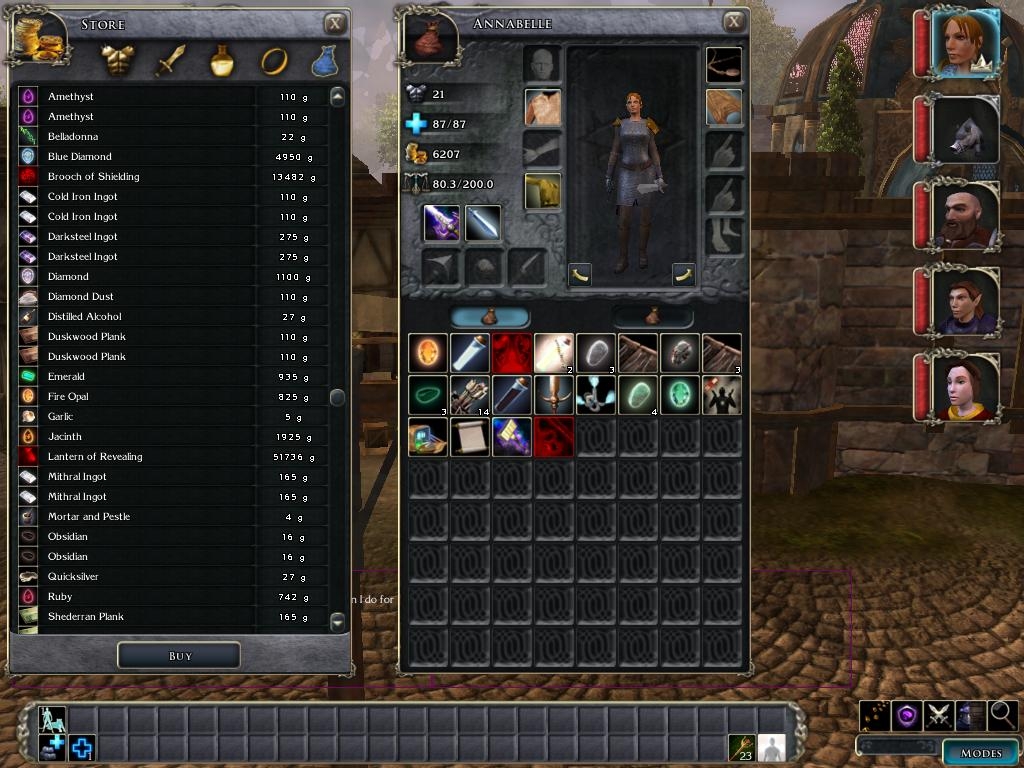
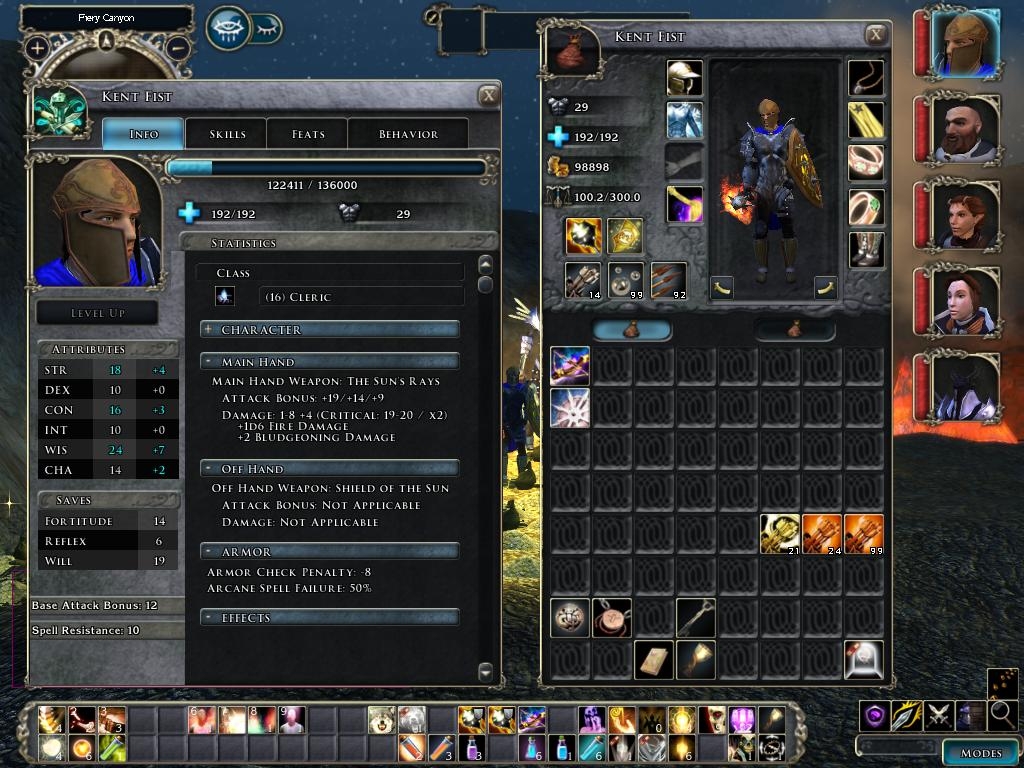
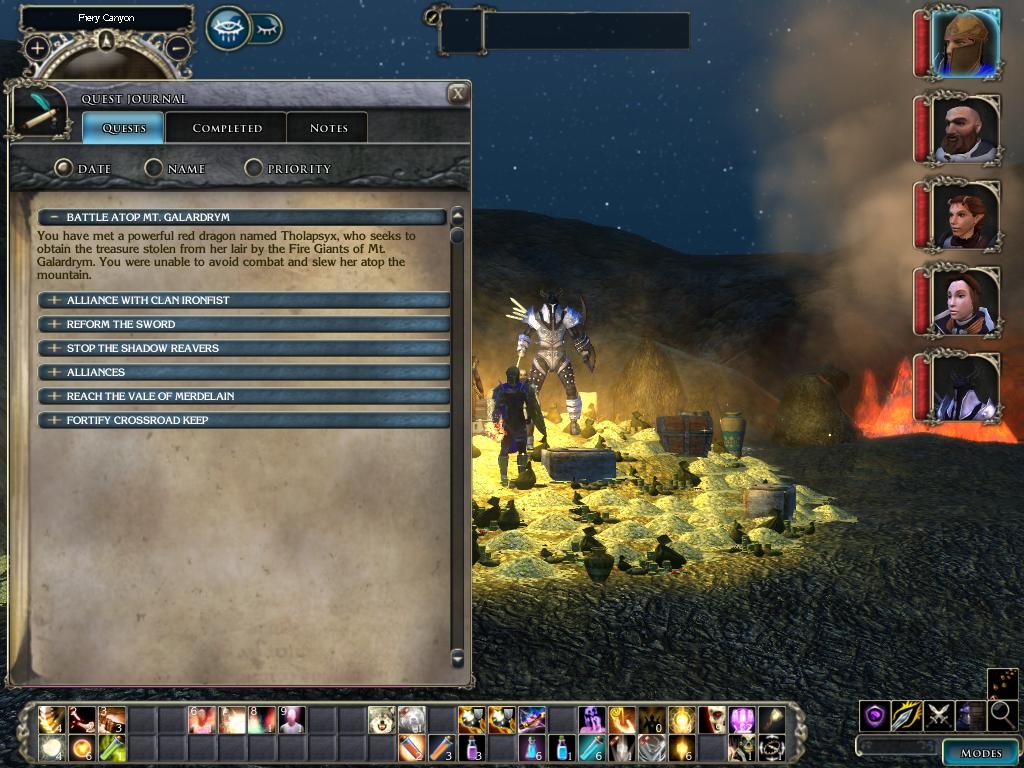
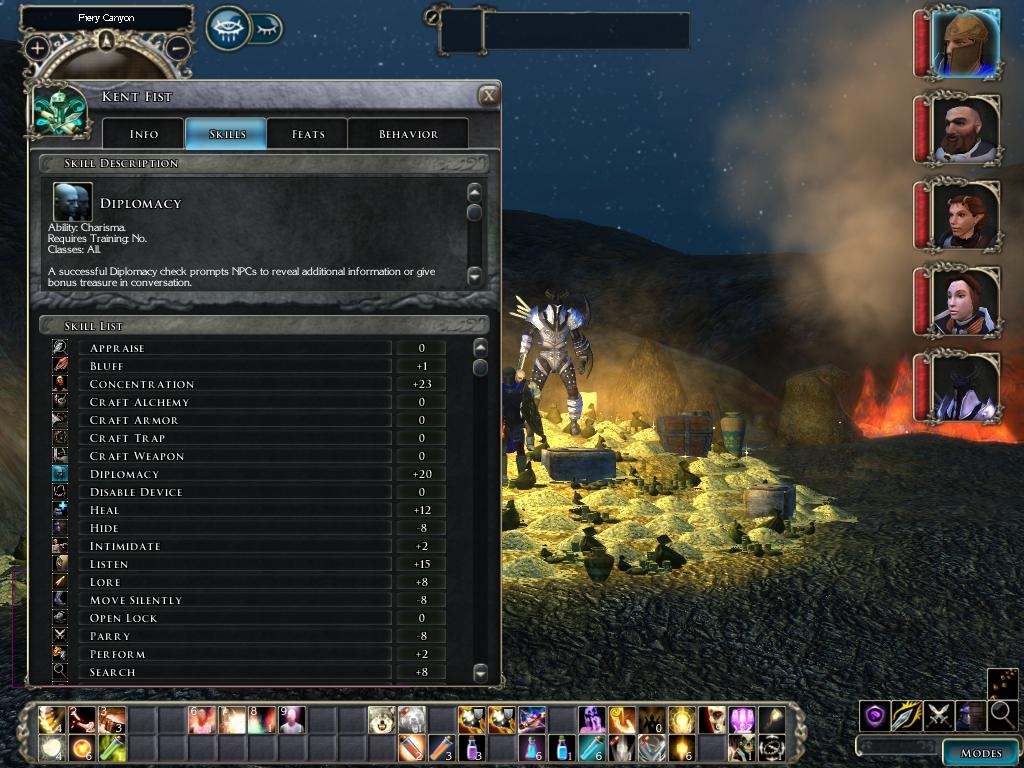
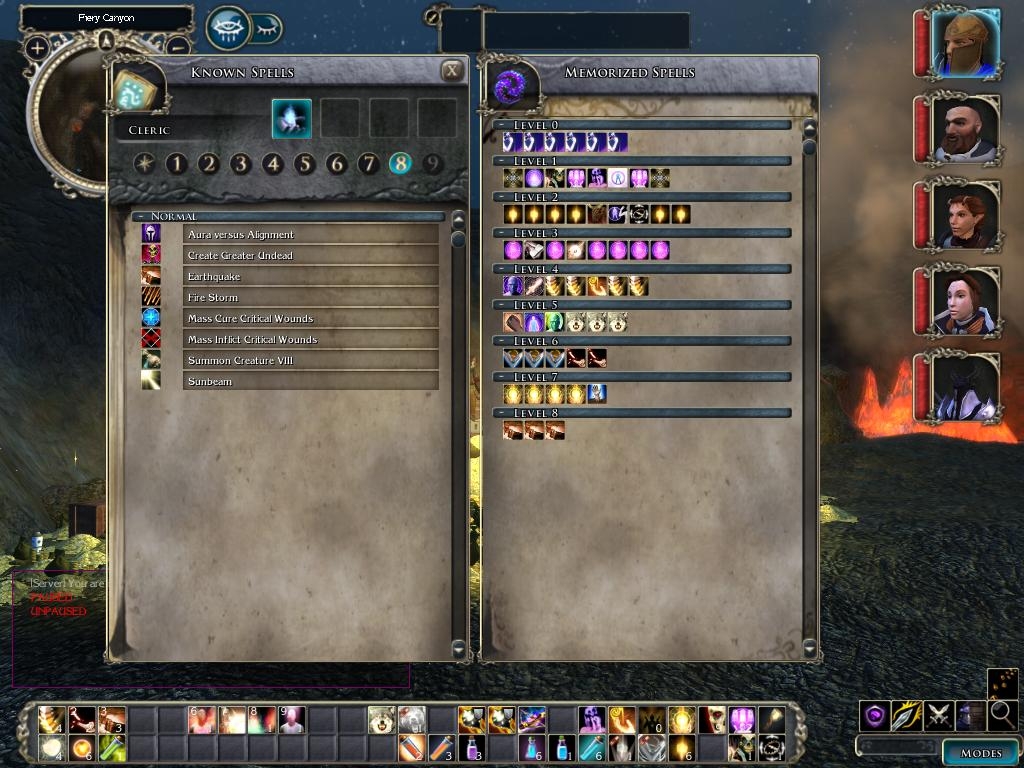
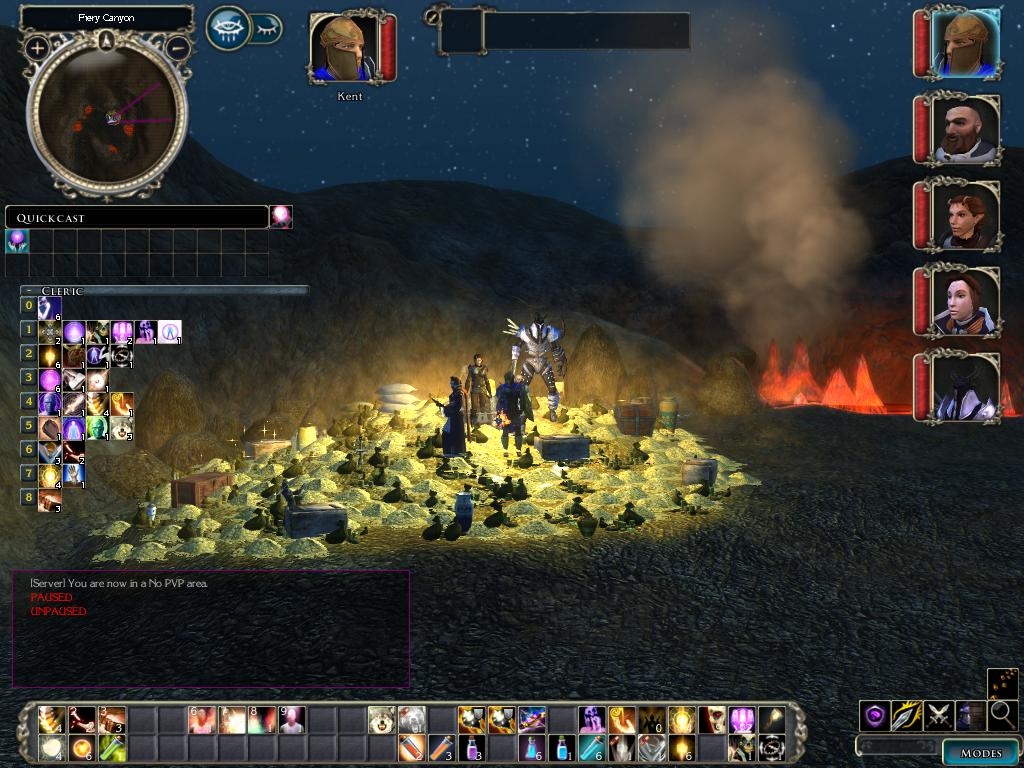
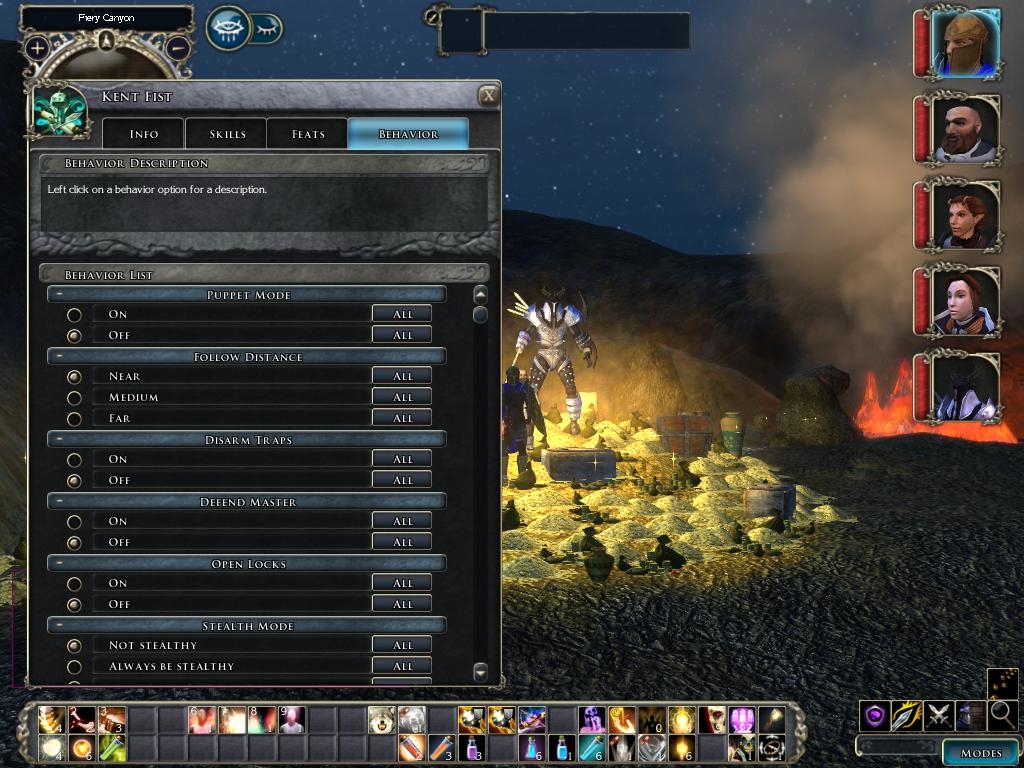
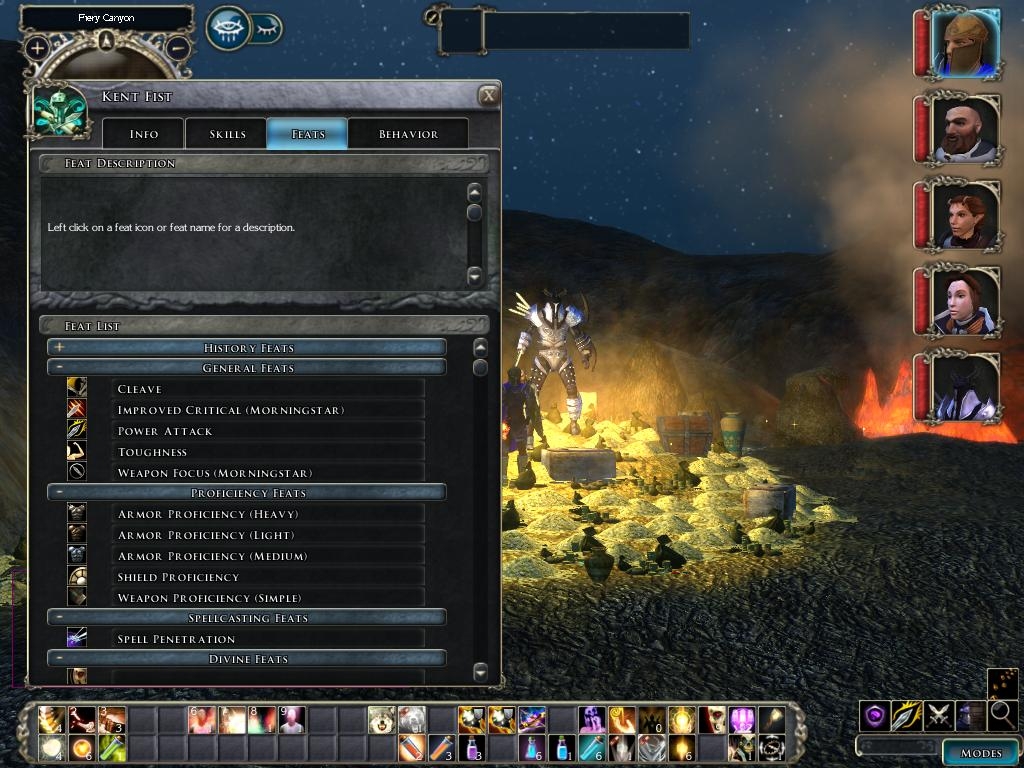
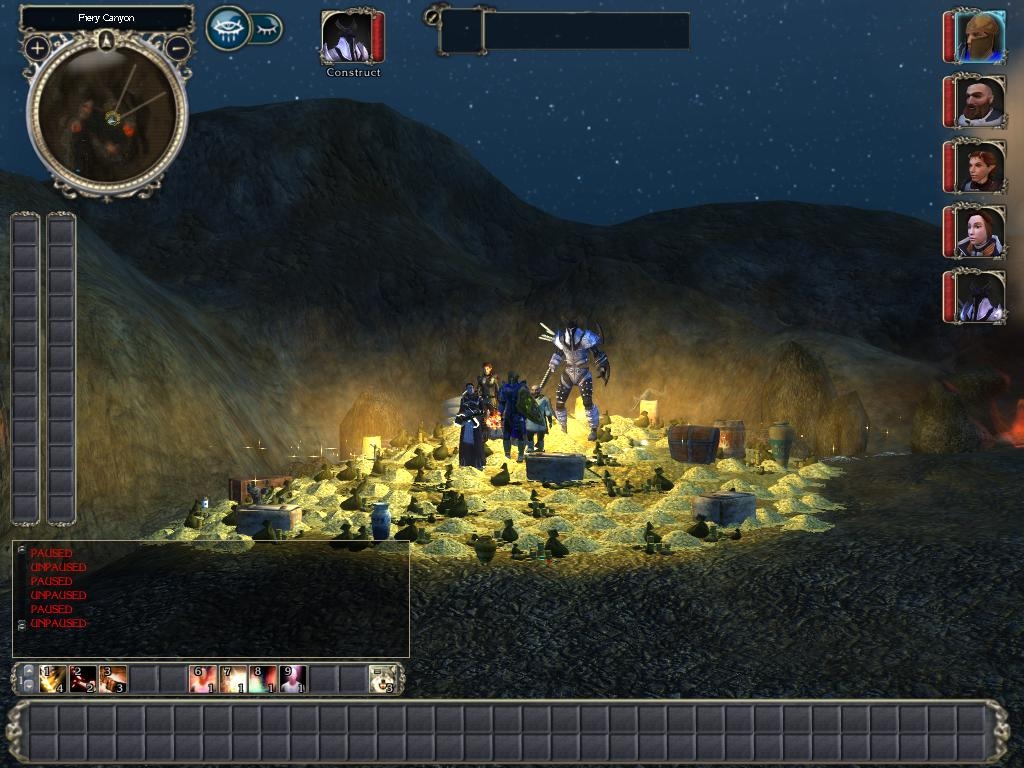
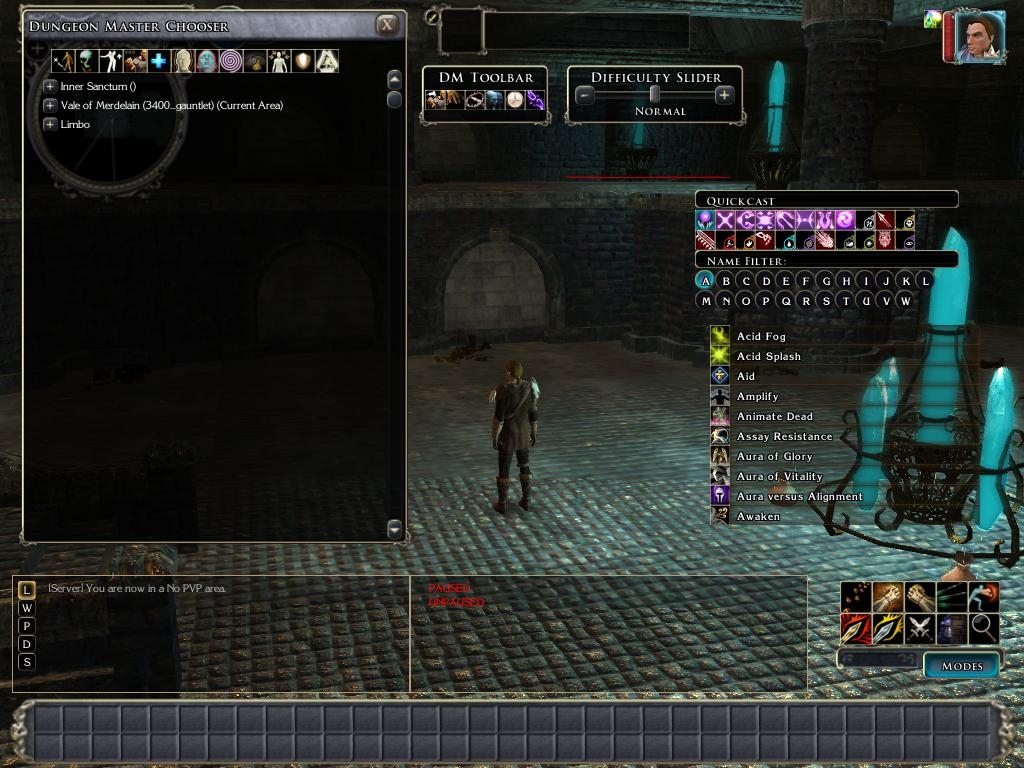
A more compact UI with less wasted space, safe for multi player.
It includes * Side by side re-sizable multi player chat windows
* A more compact character sheet (all pages)
* Classic alignment value display (multi player safe).
* Compact creature examine (same as character sheet).
* 12 x 10 scrolling hot-bar, 33x2 big hot-bar & 2 12x1 vertical hot-bars.
* compact, transparent voice chat with back arrow.
* Compact player/rest menu
* Extended action queue bar
* Compact 2x8x8 inventory
* Compact spell book
* Compact stores
* Compact party bar
* Compact target box
* Larger journal with compact headings.
* Compact character selection page when loading/starting new game
* Smaller mini-map icons and modified camera direction indicator.
* Drag-able death screens.
* More compact player list.
* Double click enabled to join a server or LAN game.
* Larger player chat selection window with a background.
* United Colors - Greatly increases the choice of colors during character creation. - by Gaoneng * Compatable with Tony K's Companion and Monster AI v2.0
... and for DMs * Compact DM tool bar and difficulty slider with a border for easy dragging.
* Compact & drag-able DM Quick Cast
* Compact, single row of buttons in the DM Chooser.
Installation * Remove any old version of Charlie's UI
* Rename guisettings.ini in "My Documents\Neverwinter Nights 2\UI\default" to guisettings.bak
* Unzip the download into "My Documents\Neverwinter Nights 2\override".
* For 1.04+ hot-bars, you must restart the game after turning on/off hot-bars in the options->interface menu.
* For the 'classic alignment value' to display in multiplayer the script file 'gui_vn_classic_alignment.NCS' must be installed in the server's override directory. Without it you will get the standard alignment display.
* (optional) If you don't want, or have conflicts with united-colors, simply delete that directory.
* (optional) For compatibility with xUI rename override\charlie_ui\hotbar.xml to hotbar.bak
Customization If you only want part of the Charlie UI, delete the files you don't need. The files and what each one does are:-
Hot Bars hotbar.xml hotbar_2.xml hotbar_v1.xml hotbar_v2.xml & hotbar_bg_md.tga
Action Queue (top centre) actionqueue.xml & action_queue_md.tga
Character Selection characterselection.xml
Character Sheet characterscreen.xml, creatureexamine.xml, char_left_bg_md.tga & char_skills_top_md.tga (+ gui_vn_classic_alignment.NCS for classic alignment values)
Chat windows defaultchat.xml, defaultmpchat1.xml & defaultmpchat2.xml
'Conversation' skill font fix levelup_skills.xml, chargen_skills.xml
DM Client charlie-DM folder
Double click join server. internetbrowser.xml, lanbrowser.xml
Inventory 2x8x8 inventoryscreen.xml
Journal journal.xml
Load Game Char Selection loadgamescreen.xml & pregameloadgame.xml
Mini (round) Map minimap.xml & radar_camera_direction_md.tga
Mode bar modebar.xml
Party bar partybar.xml
Player chat chatselect.xml
Player list playerlist.xml
Player Menu (with rest icon) playermenu.xml & playermenu_popup.xml
Smaller Font size fontfamily.xml
Spell Book spells_known.xml & spells_memorized.xml
Stores store.xml
Target box target_enemy.xml & target_object.xml
Quick Cast Bar quickspell.xml
United Colors chargen_appearance.xml & color_*.2da & color_united.tga
Voice Chat voicemenu.xml, b_back_hover.tga, b_back_normal.tga & b_back_hover_pressed.tga
Updates From version 1.31, Charlie's UI will try to check for updates, when playing on-line. It does this by comparing its version number against the version number in server scripts. This will give the user a message if the on-line server has a newer version installed.
Change log * Added FontFamily as an additional download for people who like the smaller fonts. Just add FontFamily.xml to your override directory.
* 1.45 - Removed 'classic alignment' display. Alignment values are displayed normally in NWN 1.23.
* 1.44 - Updated for NWN2 1.23. Fixed trade button for SoZ. Changed back to default fonts.
* 1.43 - Updated for NWN2 1.21 and SoZ and TonyK's AI v2.0.
* 1.42 - Updated for NWN2 1.13 and TonyK's AI 1.11
* 1.41 - Added custom portrait choice ability - NWN2 update 1.12.
* 1.40 - Fix missing last item in stores scene; Fix repeated "Spell casting" heading in behavior tabs.
* 1.39 - Character sheet fixes: companion influence readout (OC/MotB); skills descriptions; behavior tabs consistent; Added Tony_K AI Merge download.
* 1.38 - Removed 'Concentration Fix' - OEI Fixed this, making older versions of Charlie's UI unable to adjust skills ; No longer suppresses the "custom portrait".
* 1.37 - More space for long feat names.
* 1.36 - Fixed flashing inventory icons. Longer class names now fit on the character sheet.
* 1.35 - Fixed x1 backgrounds and duplicated scenes.
* 1.34 - Added default player menu for users with only Charlie's UI.
* 1.33 - All feats show on creature examine and character screen. Updated United Colors.
* 1.32 - Mode bar move-able; fixed the party bar issue with 1.10 so you can summon without crashing; fixed the inventory (the 1.10 update changed the inventory background) and added the sort inventory button; quick spell is move-able.
* 1.31 - Compatibility fix for Charlie's Item Appearance Changer. Added update checker.
* 1.30 - Fixed DM tool-bar and difficulty sliders.
* 1.29 - Improved hot-key alignments for the hot-bars.
* 1.28 - Enabled double click to join a server. Added a larger player chat with background.
* 1.27 - Includes 'Concentration Fix'. Fixed xp progress bar. Long feat names now displayed properly.
* 1.26 - Fixed Character screen - Spell casting, Disarm Spells and Item usage tabs.
* 1.25 - Fixed Load Game button. Updated Gaoneng's United Colors to version 1.05.
* 1.24 - Fixed journal.xml
* 1.23 - Added a more compact player list.
* 1.22 - Added 'classic' alignment value display, so you can see the numeric (1-100) value of your alignment.
* 1.21 - Fixed player chat.
* 1.20 - Added drag-able death screens.
* 1.19 - Added changes to DM Client UI.
* 1.18 - Door image now fits the targeting box.
* 1.17 - Updated for NWN2 1.04 beta; compact target and party bars; more consistent color scheme (silver/gold)
* 1.16 - Divided into folders: charlie_ui, united_colors, theme-black
* 1.15 - Added theme-black; Merged in United Colors by gaoneng
This package provides alternative player menus (playermenu_popup.xml) for compatibility between Charlie's UI, Charlie's Item Appearance Changer, Charlie's Item Modifier and Alan's Universal Companion Database. Instructions included.
10 - A Masterpiece, Genuinely Groundbreaking 9 - Outstanding, a Must Have 8 - Excellent, Recommended to Anyone 7 - Very Good, Deserves a Look 6 - Good, Qualified Recommendation 5 - Fair, Solid yet Unremarkable 4 - Some Merit, Requires Improvements 3 - Poor Execution, Potential Unrealized 2 - Very Little Appeal 1 - Not Recommended to Anyone






 Site
Site